We’ll be honest, we thought external GPU docks will be more popular than they’ve turned out to be. Apparently, not a lot of people are trying to beef up their laptops and mini-PCs with powerful external GPUs. Heck, Apple even dropped support for them with their new silicon Macs. As such, Razer has not made an update to the Core X Chroma GPU dock they released six long years ago. Well, that changes now with the Razer Core X V2.
That’s right, Razer is making a new external GPU dock, finally offering a replacement for the one they released over half a decade ago. On paper, this is significant because it’s their first GPU dock to use Thunderbolt 5 (the last one was Thunderbolt 3), although it’s not quite as impactful since it’s still bottlenecked by the limitations of PCIe 4.0 x4, which tops out at 64Gbps. Still, it’s nice to have a dock that uses the latest version of the popular interface.
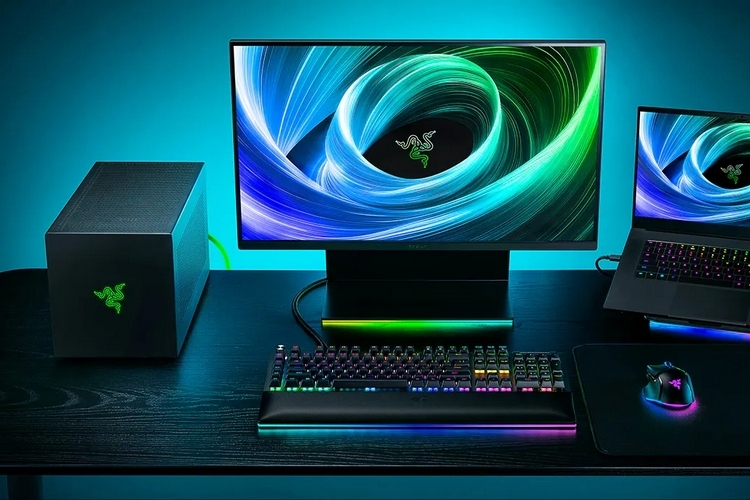
The Razer Core X V2 is an all-steel chassis designed to hold any full-size PCIe Gen 4 GPU, including quad-slot models with beefy cooling systems. It has a 120mm fan inside to consistently expel hot air out of the enclosure, while the chassis’ all-steel construction ensures it can handle a beating. Granted, we’re not sure why you would beat on your eGPU dock, but it can handle your worst attacks if you’re ever so inclined. It measures 8.5 x 7.8 x 16.6 inches (height x width x depth).
Unlike Razer’s previous external GPU docks, the chassis doesn’t come with a built-in power supply. Instead, you’ll have to buy that separately like you do with a more traditional CPU chassis, so it’s not exactly as plug-and-play as the outfit’s previous releases. Simply put, Razer pared down the chassis to the bare essentials.
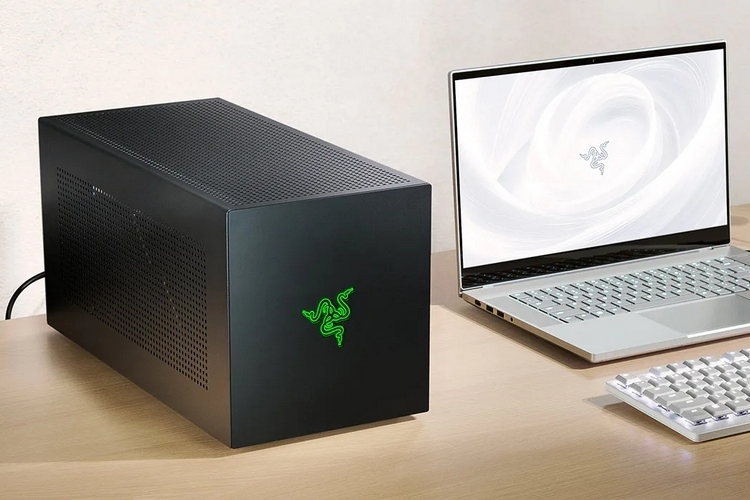
The Razer Core X V2 didn’t just ditch the power supply found in previous external docks from the outfit, it also has no USB ports, no Ethernet slot, and no LED lighting system. Yes, it sounds ridiculous that Razer released a gaming-focused product without their Chroma lighting, but they really went barebones with this thing. As such, the external dock is strictly just for housing an external GPU, instead of serving as an all-in-one hub like previous Core models. Truth be told, this new design makes it feel a lot less of a good deal compared to the previous versions, since it will require you to pony up for a new power supply, while not serving as an all-in-one hub like those others did.

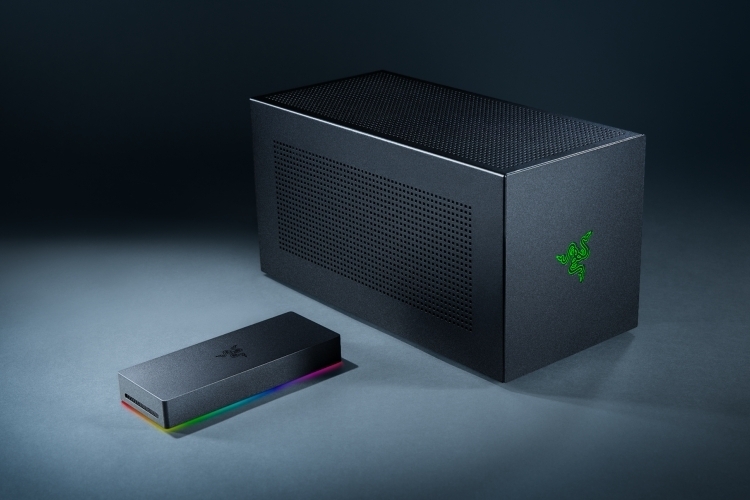
Alongside the new eGPU chassis, Razer also announced a new 11-in-1 USB dock. Called the Thunderbolt 5 Dock, the all-in-one hub comes with three 4K 120Hz displays slots, a UHS-II SD card slot, 10Gbps USB-C and USB-A ports (including ones with 140W power delivery), a Gigabite Ethernet slot, a 3.5mm combo jack, and an M2 PCIe slot for adding SSD storage. The dock also supports Thunderbolt Share, which enables file transfers and peripheral control between two connected computers.
The Razer Core X V2 is slated to come out later in the year, priced at $349.99.